
Upgrade to Pro
PRO
SEO Sentry Pro adds more control to the free plugin. For example, it shows the likely cause of each change, sends alerts to different people, and sends client reports. Refer to Free and Pro compared.
SEO Sentry Pro is an add-on. You install it next to the free plugin.
Get the Pro zip file and license key
Section titled “Get the Pro zip file and license key”- Go to the pricing page.
- Select a plan and click Get started.
- Complete the checkout.
- Open the email that you get after the purchase.
- Save the license key. You need it to activate Pro.
- Download the SEO Sentry Pro zip file from the link in the email.
You can also find your license key and the zip file in your Freemius customer dashboard. Log in with the email address that you used for the purchase.
Install SEO Sentry Pro
Section titled “Install SEO Sentry Pro”- In WordPress, go to Plugins > Add New > Upload Plugin.
- Click Choose File and select the SEO Sentry Pro zip file.
- Click Install Now.
- Click Activate Plugin.
Activate the license key
Section titled “Activate the license key”- Go to SEO Sentry > License.
- Type your license key.
- Click Activate License. The button can also show Agree & Activate License.
When the license is active, the menu name changes to SEO Sentry Pro. All Pro features are unlocked.
Manage your license
Section titled “Manage your license”Go to SEO Sentry > License to see your account and license.
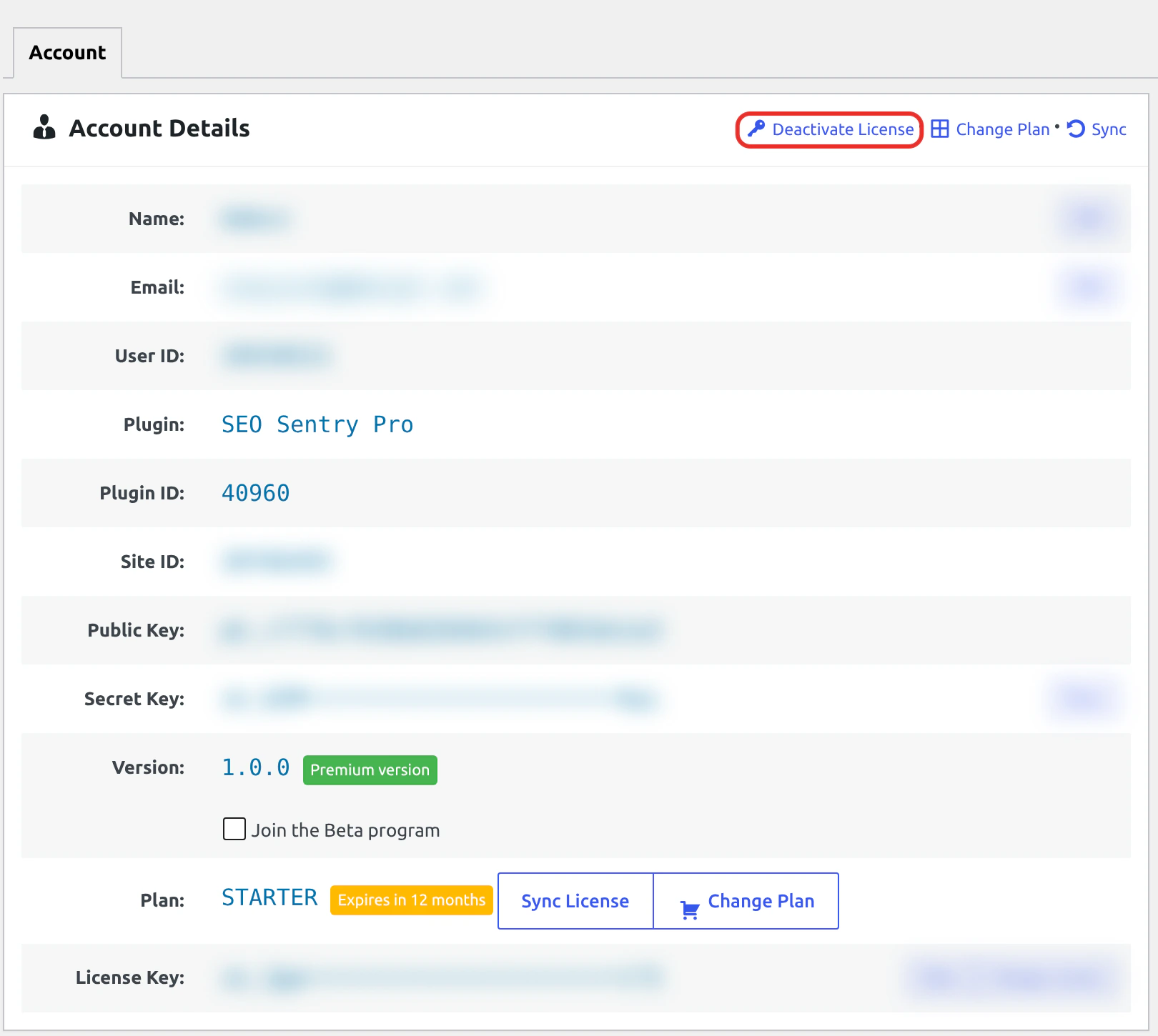
- Deactivate License removes the license from this site. Then you can use the license on a different site.
- Change License lets you enter a different license key.
- Sync gets the newest license data from the license server.
- Change Plan opens the plans, for example to get more sites.
Update SEO Sentry Pro
Section titled “Update SEO Sentry Pro”When a new version is available, WordPress shows it with your other plugin updates. Your license must be active.
- Go to Plugins > Installed Plugins.
- Find SEO Sentry Pro.
- Click update now.
Update the free plugin and the Pro add-on together. Then both use the same version.
If the license is not valid
Section titled “If the license is not valid”If the license expires or is not active, the Pro features stop. The free features continue to work. SEO Sentry keeps your Pro settings and data. When you activate a license again, the Pro features continue.
Locked Pro screens show a short summary of the feature and the button Upgrade to Pro.
Next step
Section titled “Next step”Set up your first alert rule, or turn on automatic monitoring.