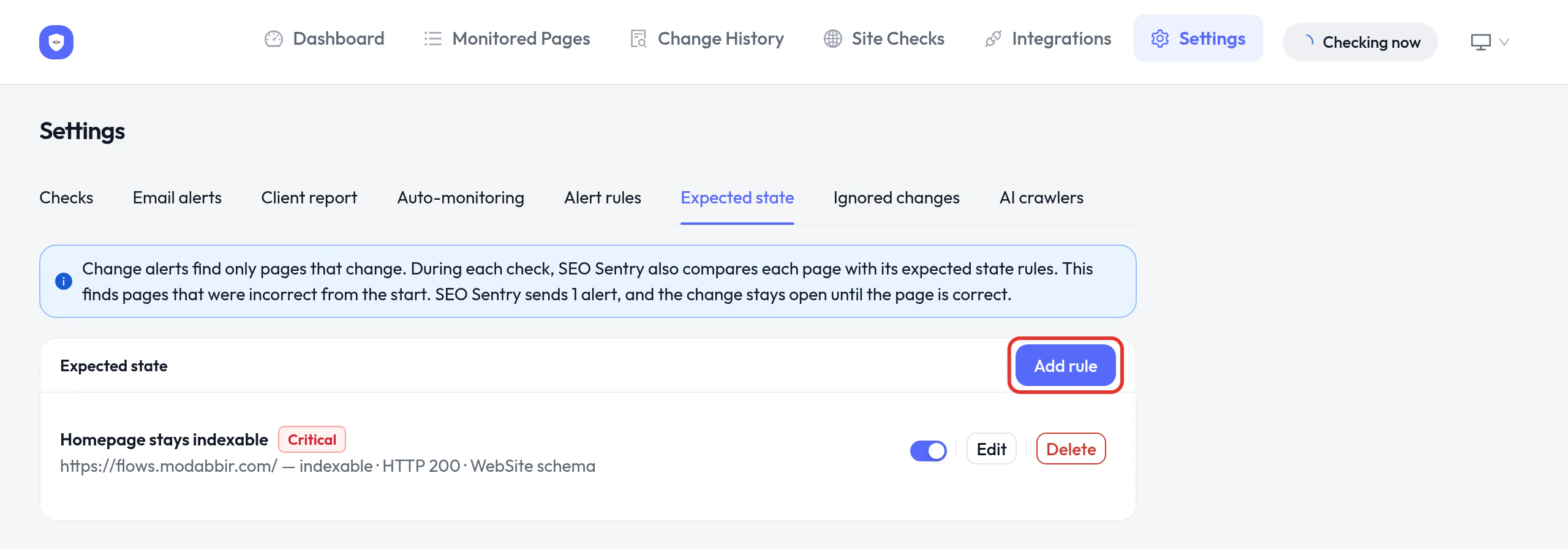
Expected state rules
PRO
Change alerts find only pages that change. But a page can be incorrect from the start. With an expected state rule, you tell SEO Sentry how a page must look. At each check, SEO Sentry compares the page with the rule.
Examples:
- The homepage must stay indexable and return HTTP 200.
- All product pages must contain Product schema.
- All pages in a group must have a canonical URL that is the same as the page URL.
Make an expected state rule
Section titled “Make an expected state rule”- Go to SEO Sentry > Settings > Expected state.
- Click Add rule.
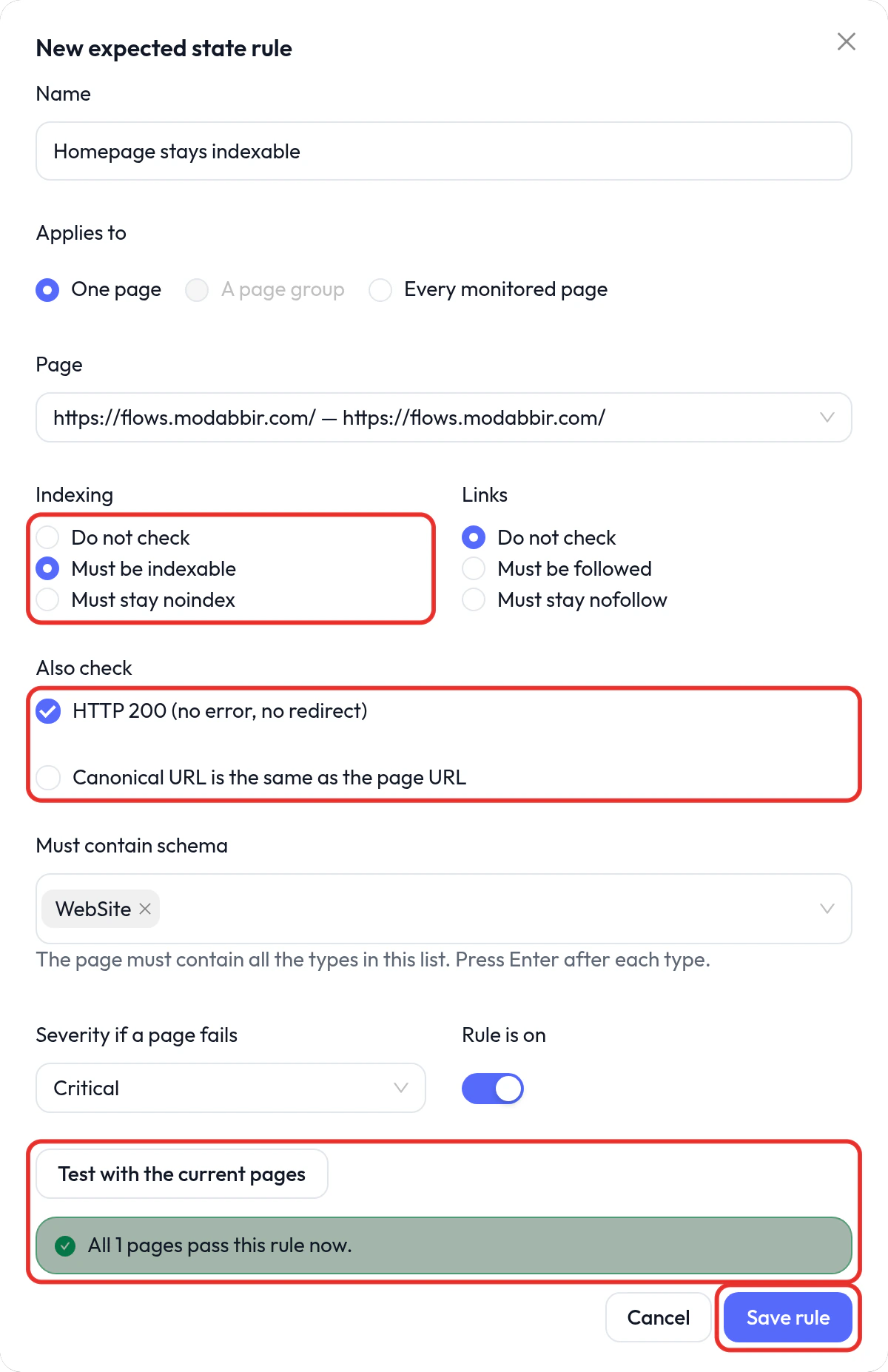
- In Name, type a name. For example: “Homepage stays indexable”.
- In Applies to, select One page, A page group or Every monitored page.
- Select the page or the page group.
- Set the checks:
- Indexing: Must be indexable or Must stay noindex.
- Links: Must be followed or Must stay nofollow.
- Also check: HTTP 200 (no error, no redirect) and Canonical URL is the same as the page URL.
- Must contain schema: type a schema type and press Enter. For example:
Organization.
- In Severity if a page fails, select Critical or Warning.
- Click Test with the current pages.
- Read the result. For example: All 1 pages pass this rule now.
- Click Save rule.
What occurs when a page fails
Section titled “What occurs when a page fails”- SEO Sentry records the change Expected state rule failed.
- The change shows what the rule expects and what is incorrect. For example: “must be indexable, but it is noindex”.
- SEO Sentry sends 1 alert. It does not send the same alert again while the problem continues.
- When you correct the page, the next check resolves the change automatically.