
Alert rules and page groups
PRO
The free plugin sends all alerts to 1 email address. With SEO Sentry Pro, you can make alert rules. Each rule sends some changes to some people. For example, send an email to a client only when an important page changes to noindex.
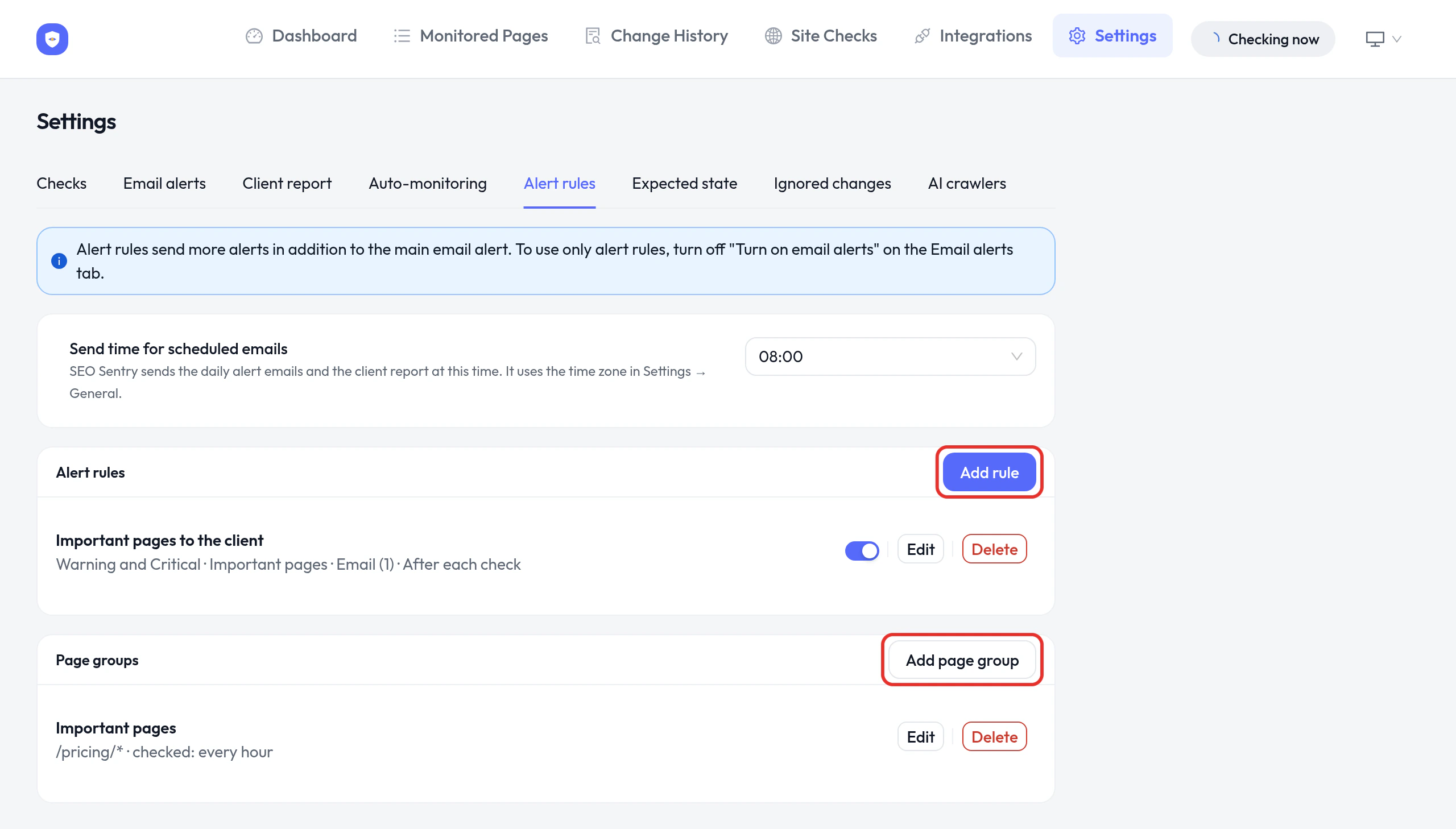
To open these settings, go to SEO Sentry > Settings > Alert rules.
Make a page group
Section titled “Make a page group”A page group is a set of pages. You use page groups in alert rules and expected state rules. You can also check a page group more frequently than other pages.
- In the Page groups card, click Add page group.
- In Name, type a name. For example: “Important pages”.
- In Pages of these types, select content types. For example: Products.
- In Or URLs that match, type a URL pattern and press Enter. Use
*as a wildcard. For example:/blog/*or/pricing/. - In Check these pages, select how often to check these pages.
- Click Save page group.
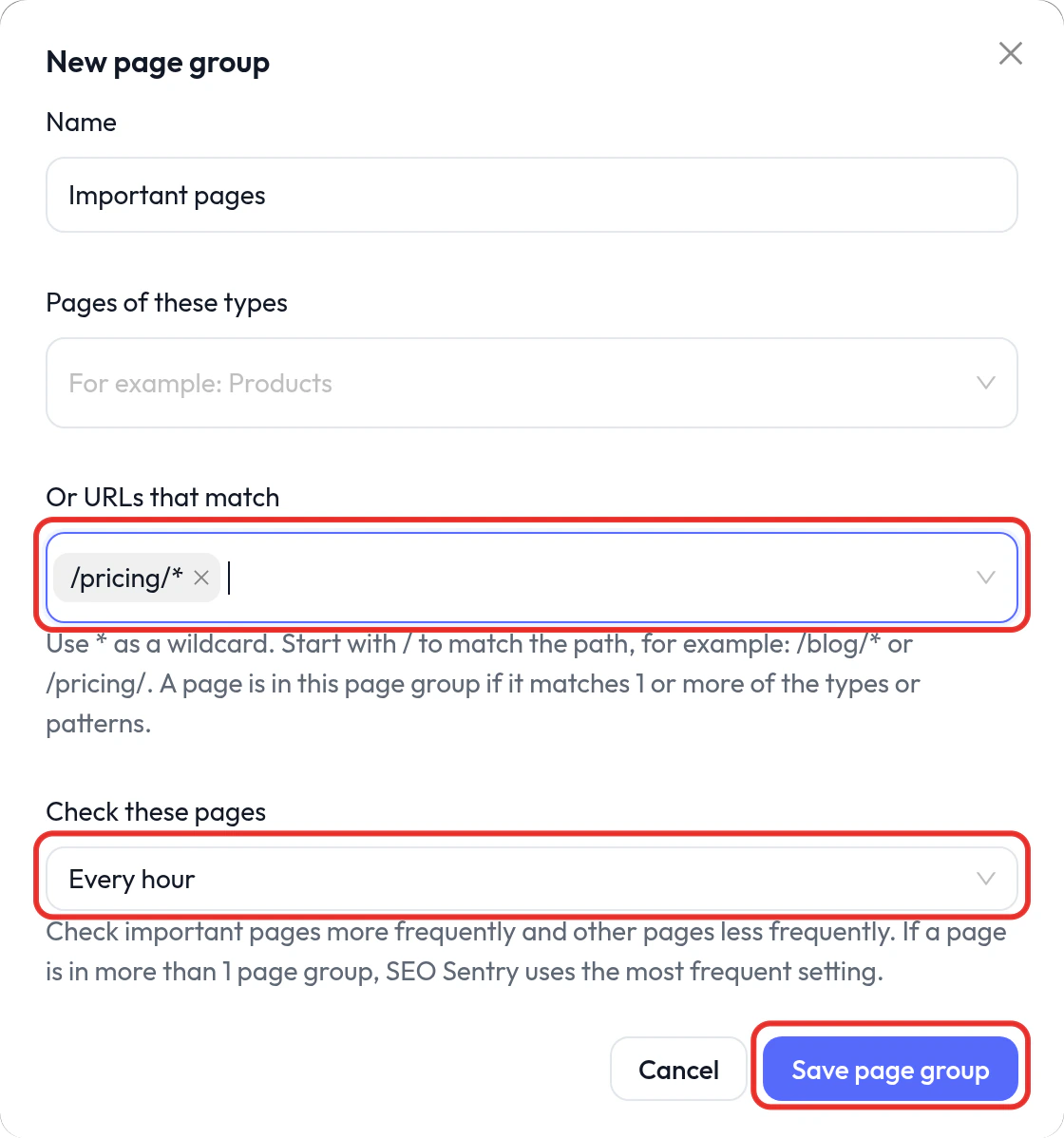
A page is in the group if it matches 1 or more of the types or patterns.
Check a page group on a different schedule
Section titled “Check a page group on a different schedule”The field Check these pages has these options: Same as the site setting, Every hour, Twice a day, Once a day and Once a week.
Check your important pages every hour and your blog once a week. If a page is in more than 1 page group, SEO Sentry uses the most frequent schedule.
Make an alert rule
Section titled “Make an alert rule”- In the Alert rules card, click Add rule.
- In Name, type a name. For example: “Important pages to the client”.
- In Send alerts for, select Critical only, Warning and Critical or All changes, including Info.
- In Only these types of change, select change types. Leave the field empty to include all types.
- In On which pages, select Any monitored page, Site-wide checks or A page group.
- In Send email to, type an email address and press Enter. You can add up to 20 addresses.
- Optional: select Webhooks to also send the alert to your webhook. Refer to Webhook.
- In When, select After each check or Once a day.
- Click Save rule.
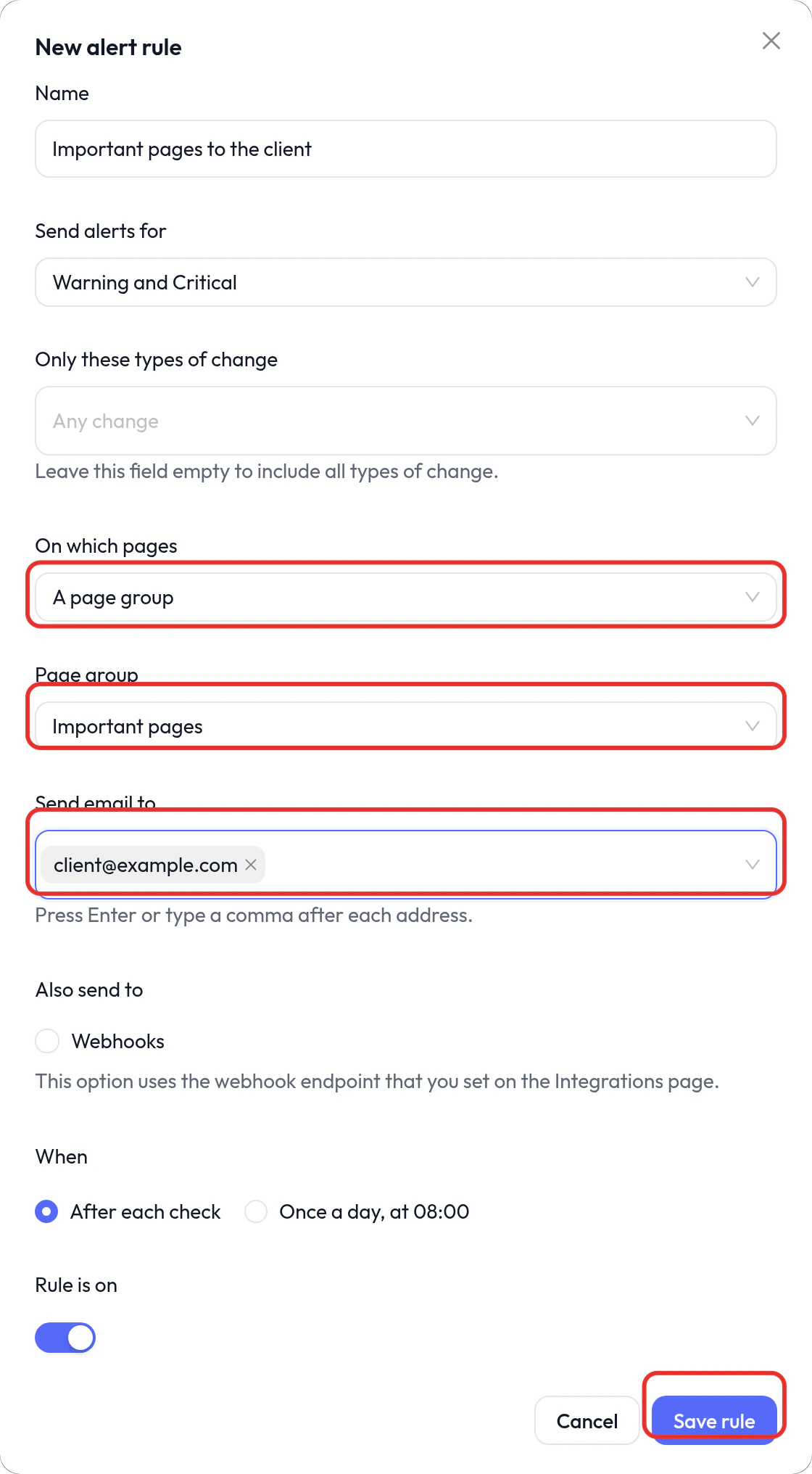
A rule sends an alert only when all its conditions match. Snoozed and ignored changes never make an alert.
Set the time for daily emails
Section titled “Set the time for daily emails”The Send time for scheduled emails field sets the time of the daily alert emails and the client report. The default is 08:00. SEO Sentry uses the time zone in Settings > General.
Edit or delete a rule or a group
Section titled “Edit or delete a rule or a group”- To stop a rule for some time, turn off its switch.
- To change it, click Edit.
- To remove it, click Delete.
You cannot delete a page group that an alert rule uses. First change or delete the alert rule.