
Snooze and ignore
PRO
Sometimes a change is planned. For example, you change the Twitter card text for a campaign. With SEO Sentry Pro, you can stop the alerts for that type of change on that page.
Snooze or ignore a change
Section titled “Snooze or ignore a change”- Go to SEO Sentry > Change History.
- Click the change.
- Click Mute.
- Select an option:
- Snooze for 7 days
- Snooze for 30 days
- Snooze for 90 days
- Always ignore
- Type a short note about the reason.
- Click Mute.
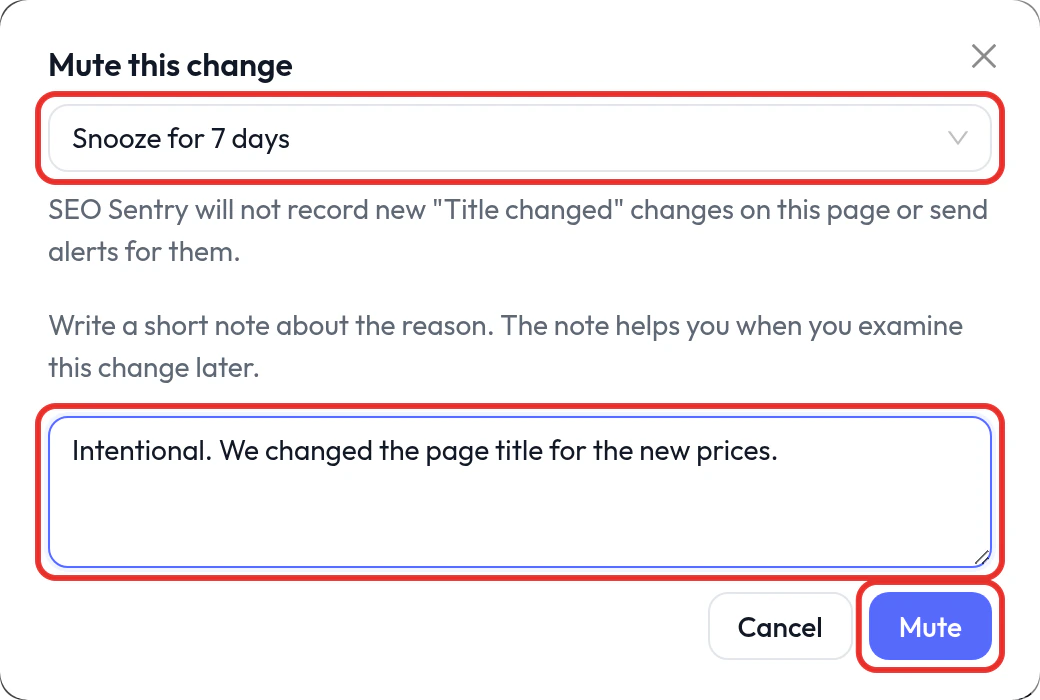
While the snooze or ignore rule is active, SEO Sentry does not record new changes of this type on this page. It does not send emails, alert rule alerts or webhooks for them.
A rule applies to 1 type of change on 1 page. Other types of change on the same page still make alerts.
See and remove your rules
Section titled “See and remove your rules”- Go to SEO Sentry > Settings > Ignored changes.
- The list shows each rule with the tag Snoozed or Always, the page, the end date and your note.
- To remove a rule, click Stop ignoring.
SEO Sentry removes a snooze automatically when its time ends.