
AI crawlers
SEO Sentry records visits from known AI crawlers. For example: GPTBot, ClaudeBot, PerplexityBot, Google-Extended and CCBot. You do not have to connect an analytics service.
See the crawler visits
Section titled “See the crawler visits”- On the Dashboard, the AI crawler visits card shows the crawlers that visit most.
- On Site Checks, the AI crawlers table shows all 14 known crawlers.
| Column | Meaning |
|---|---|
| Crawler | The name of the crawler and its user agent. |
| Rule in robots.txt | Blocked, Allowed or Not specified. |
| Last visit | The time of the last visit and the number of visits. A green dot means a visit in the last 30 days. |
A visit shows only that the crawler requested your site. It does not show that an AI platform uses or cites your content.
Alert when a crawler stops visiting
Section titled “Alert when a crawler stops visiting”If a crawler visited your site regularly and then does not visit for 30 days, SEO Sentry records the change AI crawler visits stopped. The severity is Warning. This can show that your robots.txt file or your server blocks the crawler.
The change resolves automatically when the crawler visits again.
Turn crawler tracking on or off
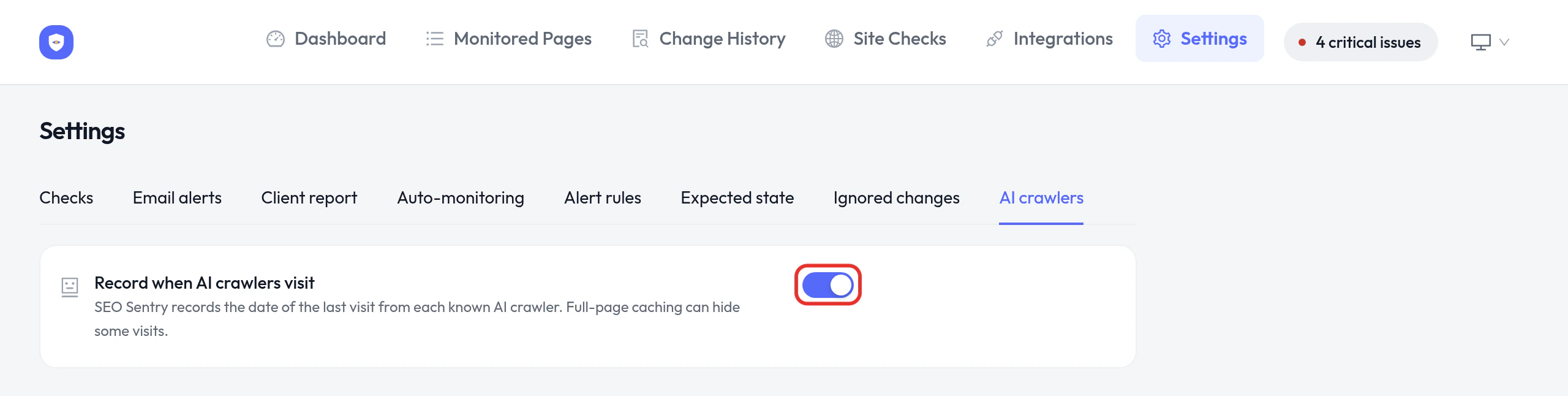
Section titled “Turn crawler tracking on or off”- Go to SEO Sentry > Settings.
- Click the AI crawlers tab.
- Set Record when AI crawlers visit to on or off.
AI crawler rules in robots.txt
Section titled “AI crawler rules in robots.txt”SEO Sentry also reads the rules in your robots.txt file for each AI crawler. When a rule changes, SEO Sentry records the change AI crawler rules changed. SEO Sentry never changes these rules.