
Automatic monitoring
PRO
With automatic monitoring, SEO Sentry Pro starts to monitor new content when you publish it. You do not have to add each new post yourself.
Turn on automatic monitoring
Section titled “Turn on automatic monitoring”- Go to SEO Sentry > Settings > Auto-monitoring.
- Turn on Monitor new content automatically.
- In Content types, select the types to monitor. For example: Posts, Pages and Products.
- Optional: set the filters in this table.
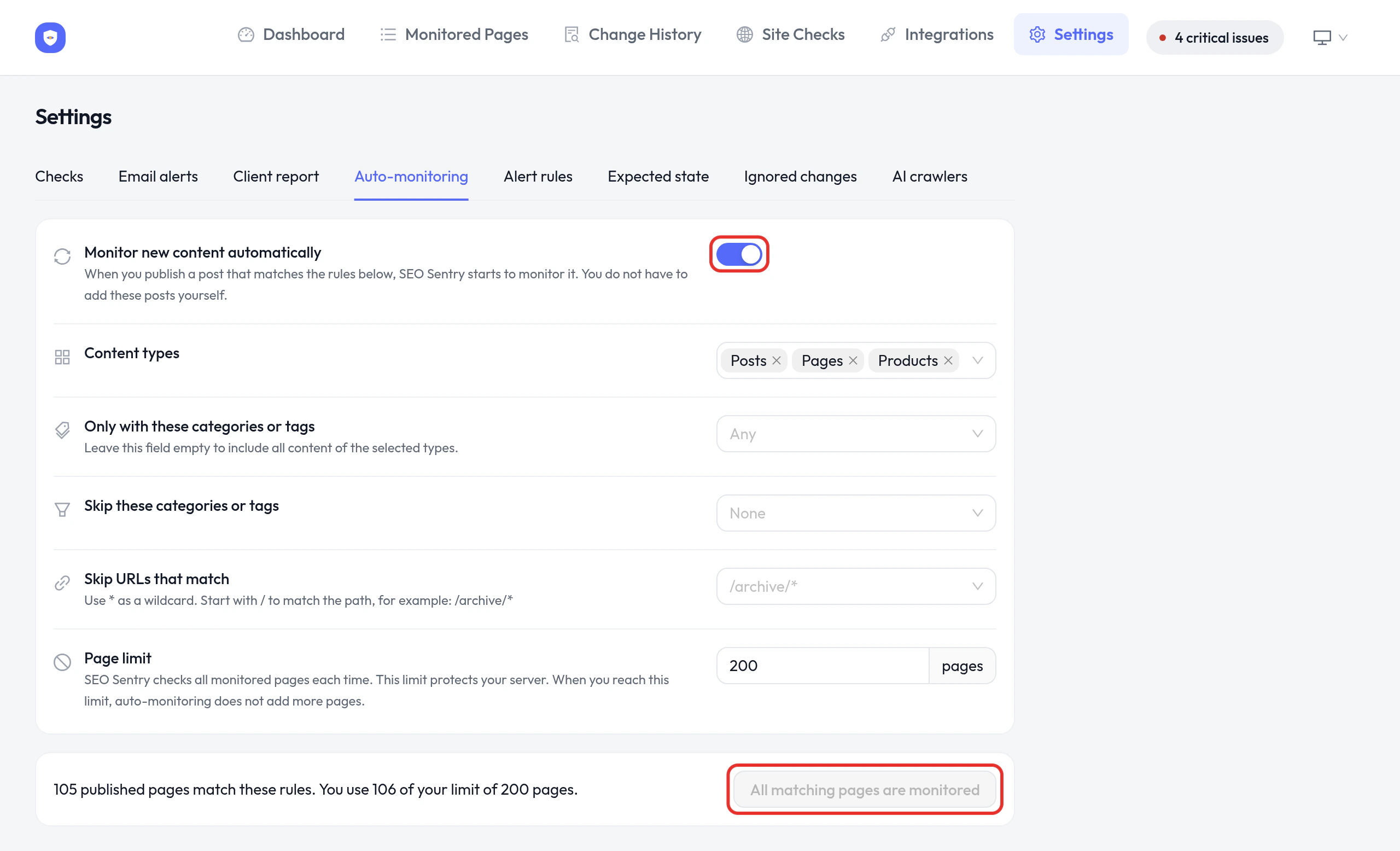
| Field | What it does |
|---|---|
| Only with these categories or tags | Monitors only content with these categories or tags. Leave it empty to include all content. |
| Skip these categories or tags | Does not monitor content with these categories or tags. |
| Skip URLs that match | Does not monitor URLs that match a pattern. Use * as a wildcard. For example: /archive/*. |
| Page limit | The maximum number of monitored pages, from 1 to 2000. The default is 200. |
Add existing content
Section titled “Add existing content”Automatic monitoring adds only new content. To add content that is already published:
- Read the message under the settings. For example: “105 published pages match these rules.”
- Click Add N existing pages now.
- SEO Sentry adds a post only when you publish it for the first time. Updates to a published post do not add it again.
- SEO Sentry does not add password-protected posts.
- SEO Sentry does not add a page that is already monitored, also if monitoring is off for it.
- The Page limit counts all monitored pages, also the pages that you added yourself. When you get to the limit, SEO Sentry does not add more pages.